One real order, start to finish.
This is an actual BuildLinks account - a link building agency called Silverline Studios - walked through exactly what happens between building a domain inventory and collecting a paid invoice. No staged data, no mockups.
Watch it, or read every step below
45 seconds, start to finish - the same Silverline Studios account, moving in real time.
Sound on - it's narrated.
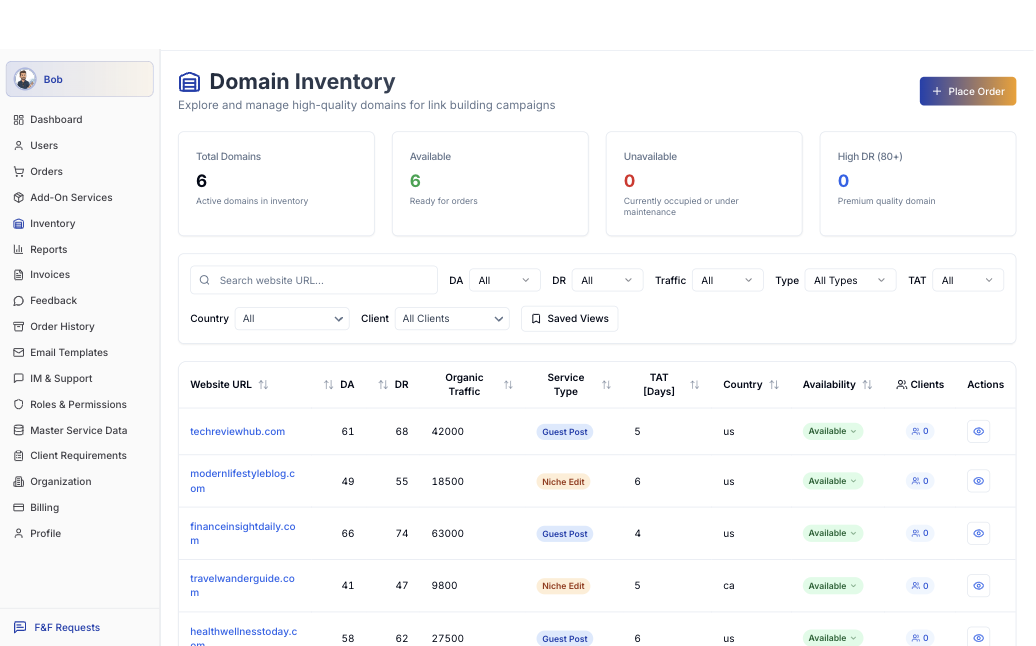
Every domain you work with, in one list
Silverline Studios keeps six domains in rotation right now - techreviewhub.com, modernlifestyleblog.com, financeinsightdaily.com, and others - each with its own DA, DR, organic traffic, service type, turnaround time, and availability.
- Filter by DA, DR, traffic, service type, TAT, country, or client
- See what's Available vs. Unavailable before you quote it
- Save your own filtered views for repeat use
Place it, then watch it move
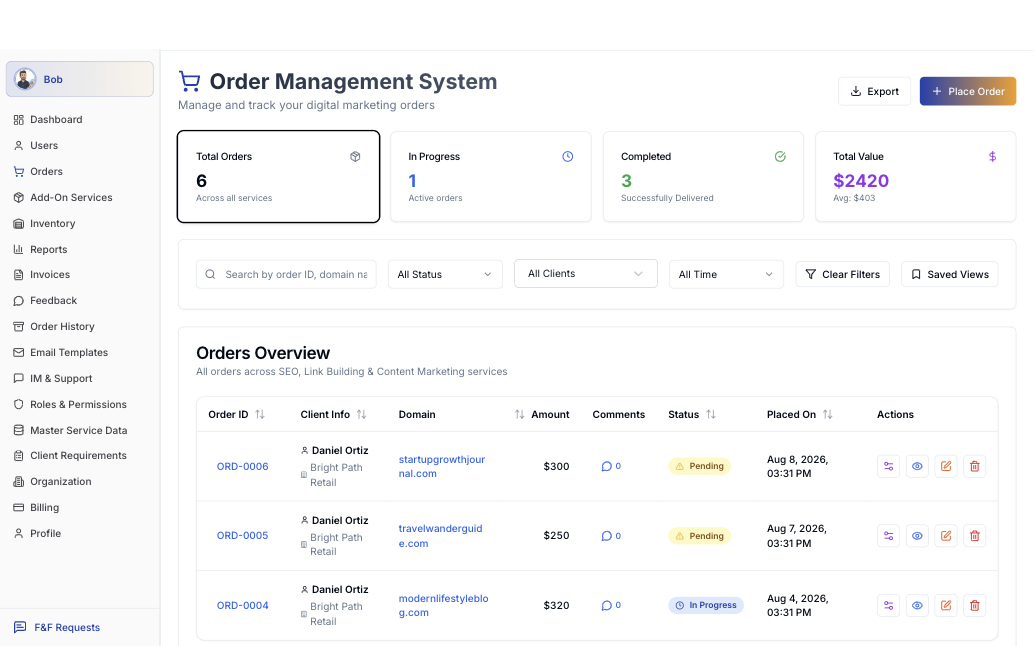
Every order lands in the same pipeline - Pending, In Progress, Completed - with the client, domain, and amount attached from the moment it's placed. This account is running six orders worth $2,420 combined, three of them already completed.
- One click to place an order from the inventory you already built
- Status updates as the order actually moves, not on a timer
- Full history per order - who placed it, when, for how much
Invoices, done for you
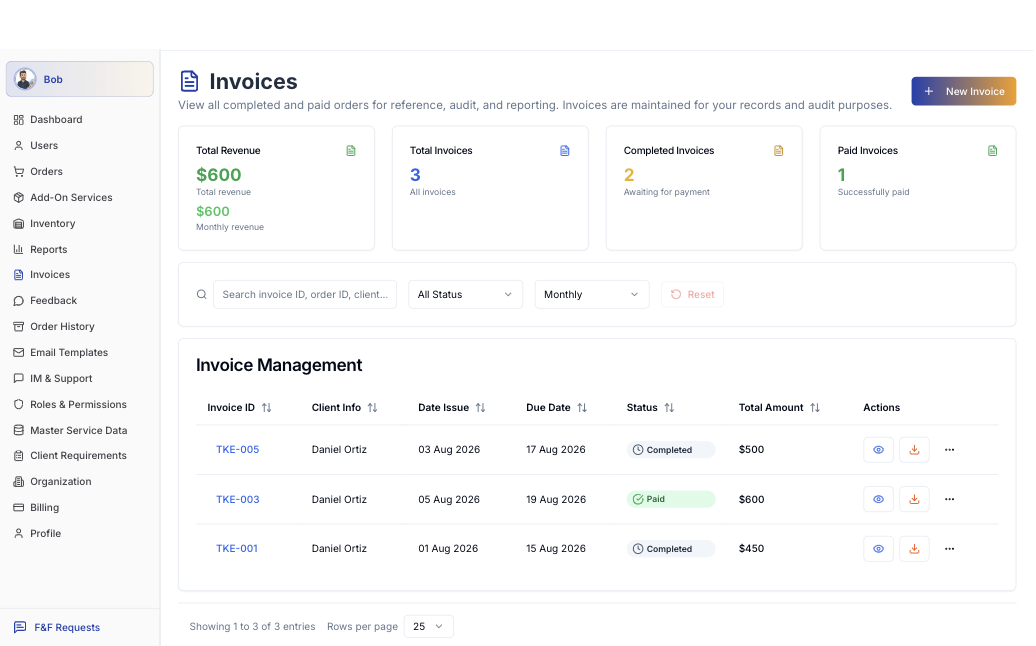
Completed orders turn into invoices without anyone typing a line item by hand. This account has three - one paid, two completed and awaiting payment - $600 in revenue tracked automatically.
- Generated straight from completed orders
- Due dates apply automatically, set once per client
- Downloadable, and branded to the agency - not to us
Make it disappear behind your brand
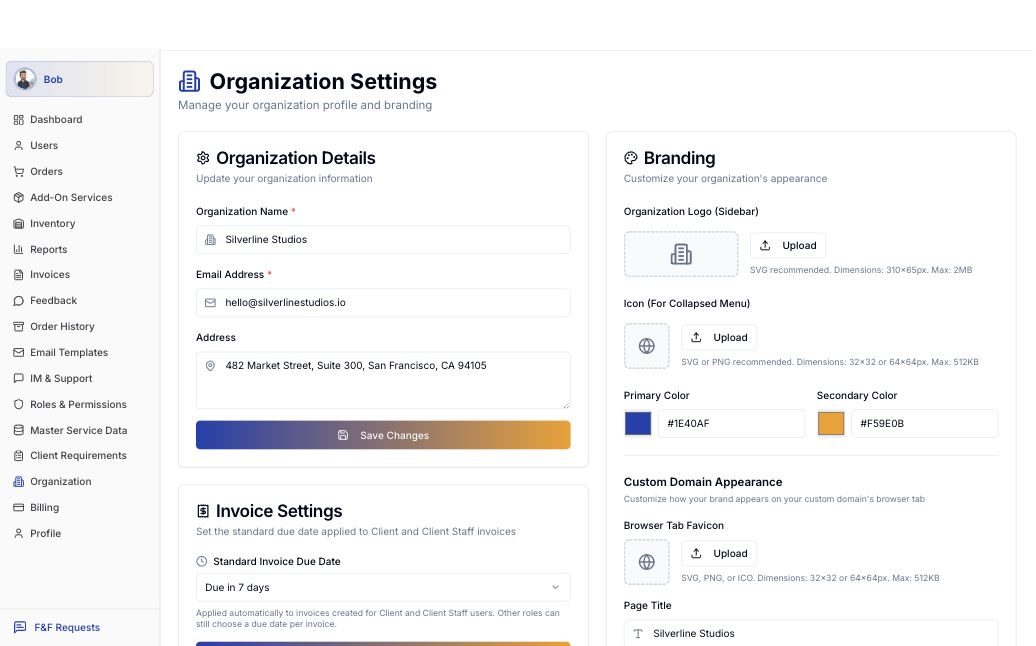
Organization Settings is where Silverline Studios sets its own logo, primary and secondary brand colors, and the favicon on its own custom domain - done once, applied everywhere their clients look. Standard invoice due dates are set here too.
- Upload your logo and set your brand colors
- Custom domain appearance, down to the browser tab
- Standard due-date rules, set once per organization
Every role sees exactly what they need
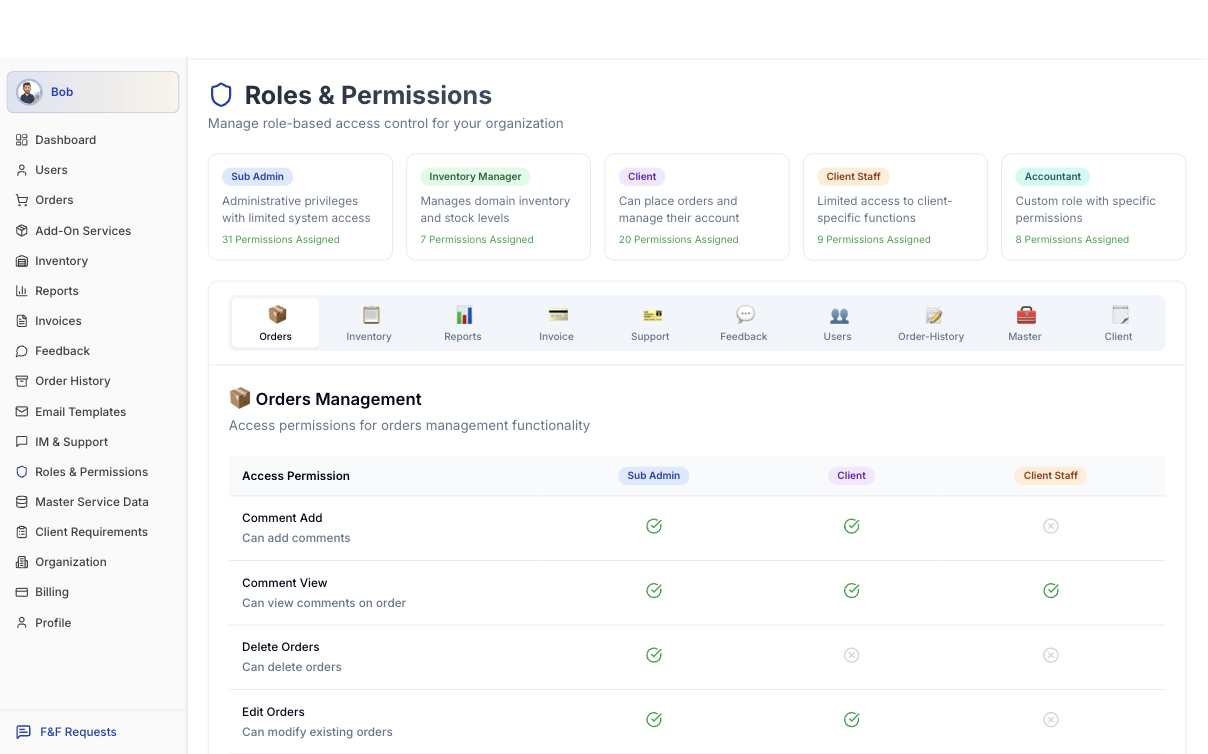
Six roles, each scoped to what the job actually requires - Super Admin, Sub Admin, Inventory Manager, Client, Client Staff, Accountant - down to individual permissions like who can delete an order or just comment on one.
- Sub Admin: administrative access, scoped short of full control
- Client: can place orders and manage their own account, nothing else
- Every permission - add a comment, delete an order - set per role
Help, without leaving the product
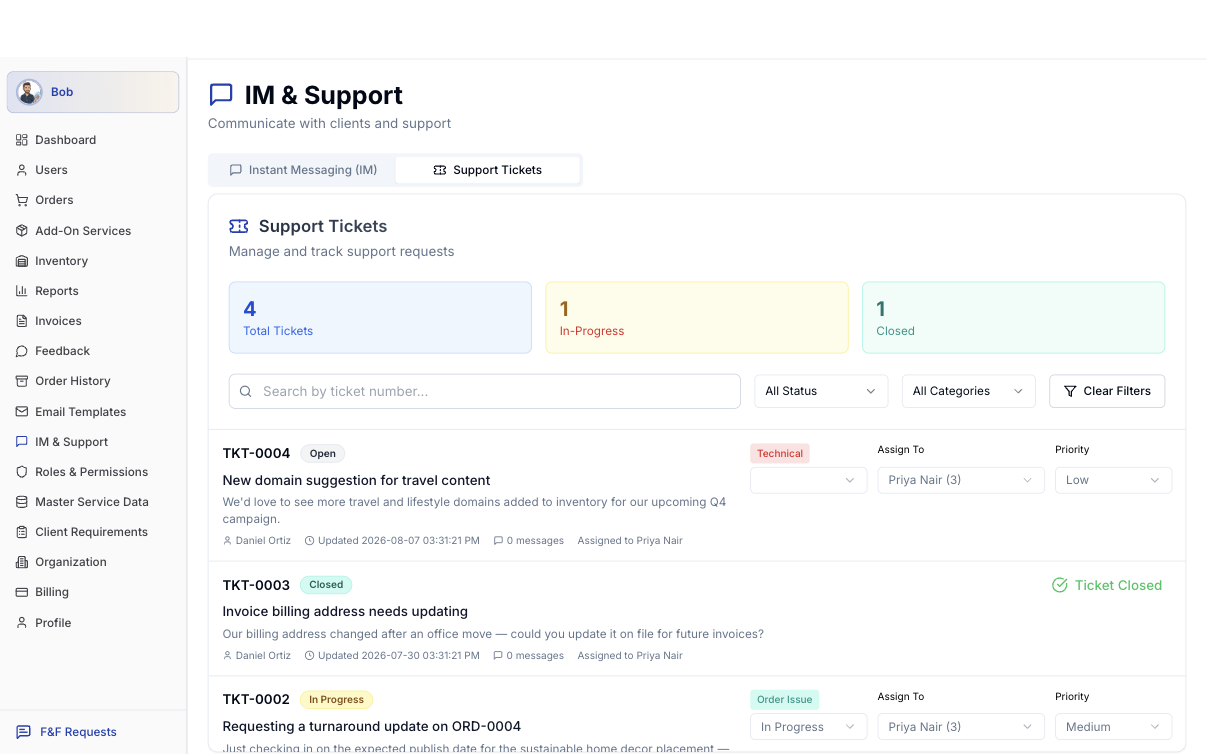
Support tickets live next to the orders they're about - a client asking for a turnaround update, or a billing address that needs updating - assigned, prioritized, and tracked from Open to Closed.
- Tickets linked to the order or client they concern
- Assigned and prioritized, not lost in an inbox
- Status tracked from Open to Closed